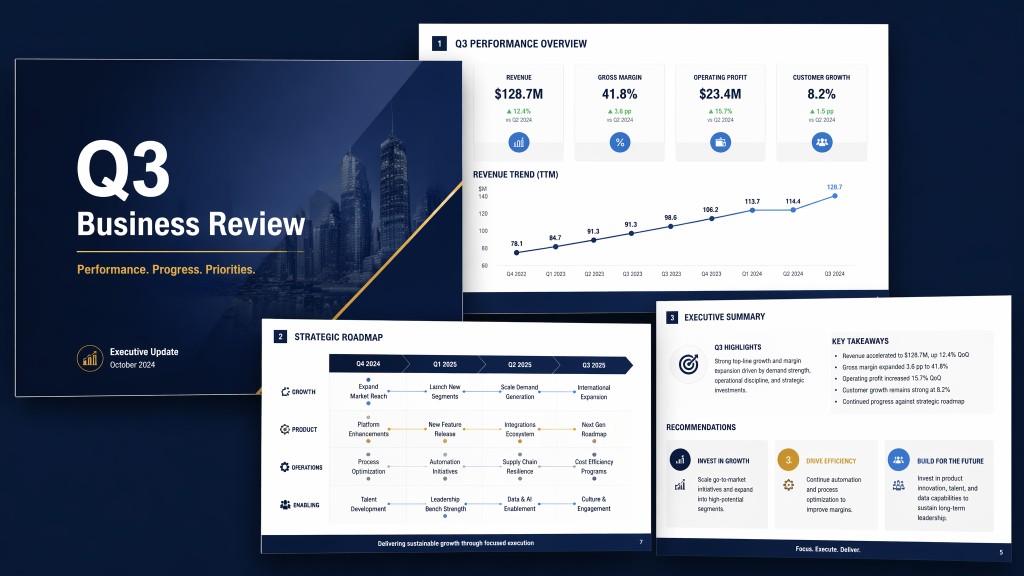
Create AI Slides with Your Personal AI Assistant
Tell Muse what presentation you need. When connected with your permission, Muse can turn notes, files, emails, meeting context, or an existing PPTX into polished slides you can review, refine, and share.

What Muse can do for your slides
Muse helps with the full presentation workflow — from the first outline to a redesigned, editable deck.

Create slides from scratch
Start with a topic, brief, or rough idea.
Muse structures the story into a complete deck.
Slides are built with editable text, shapes, and visual hierarchy.

Create visual presentations
Ask for poster-style or full-bleed visual slides.
Muse adapts the format to the story and audience.
Use it for launches, explainers, campaigns, and visual decks.
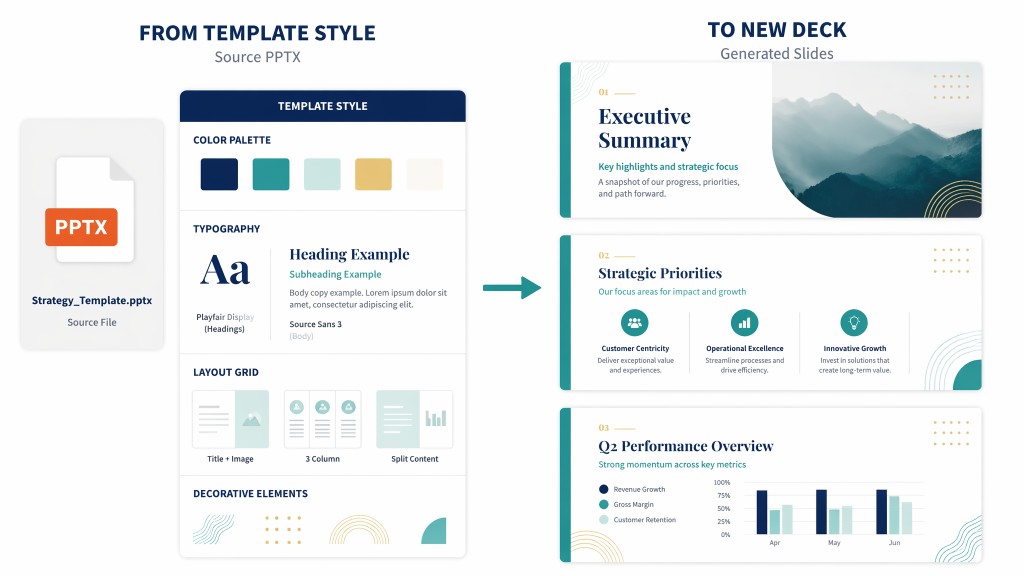
Work from templates and existing decks
Reuse a PPTX style instead of starting over.
Muse can read, extract, reorder, merge, and edit slides.
It preserves structure while helping you update the message.
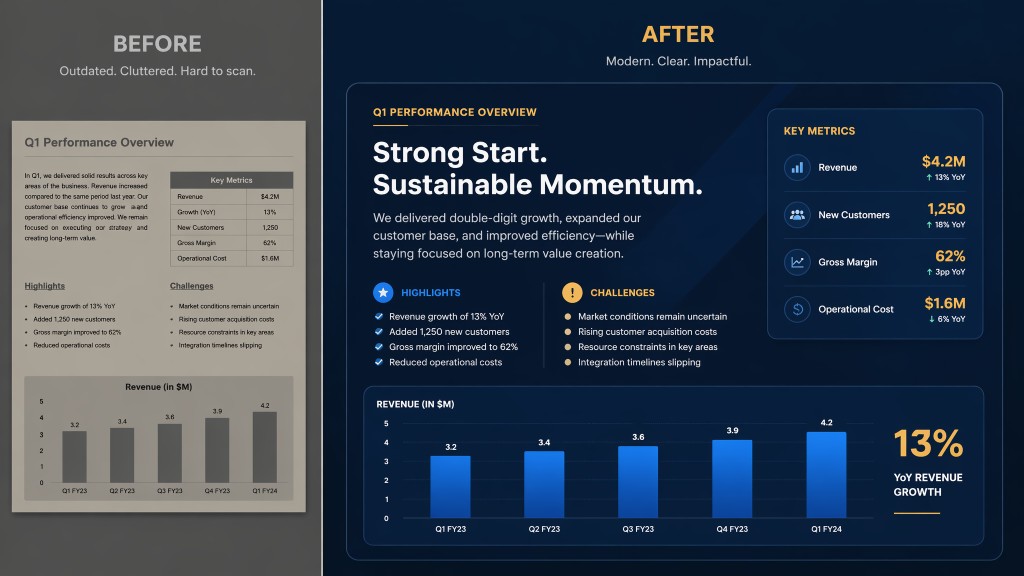
Beautify and rebuild presentations
Improve colors, typography, spacing, and layout rhythm.
Redesign weak pages or rebuild the full deck when needed.
Muse focuses on quality, not quick low-effort slides.
Why Muse for AI slides
Muse is not just an AI slide generator. It is a personal AI assistant that can work with your chosen context, help you shape the deck, and keep you in control before important actions.
| Traditional Slide Tools | Generic AI Tools | Muse | |
|---|---|---|---|
| Starting point | Blank slides and manual formatting | Prompt-based text or outline | Topic, files, notes, emails, meetings, or existing PPTX |
| Context | User manually gathers every source | Often limited to the current prompt | Uses permissioned context from tools you choose to connect |
| Output | Editable but slow to create | Fast but often generic | Polished, structured slides you can review and refine |
| Existing decks | Manual edits page by page | Limited file-aware editing | Read, extract, edit, reorder, merge, beautify, or rebuild PPTX workflows |
| Control | Fully manual | AI output may need heavy cleanup | Muse asks before important actions and keeps you in control |
3 steps to your slides
From rough context to a presentation you can review, edit, and share.

1. Tell Muse what you need
Describe the presentation, audience, goal, or source material.
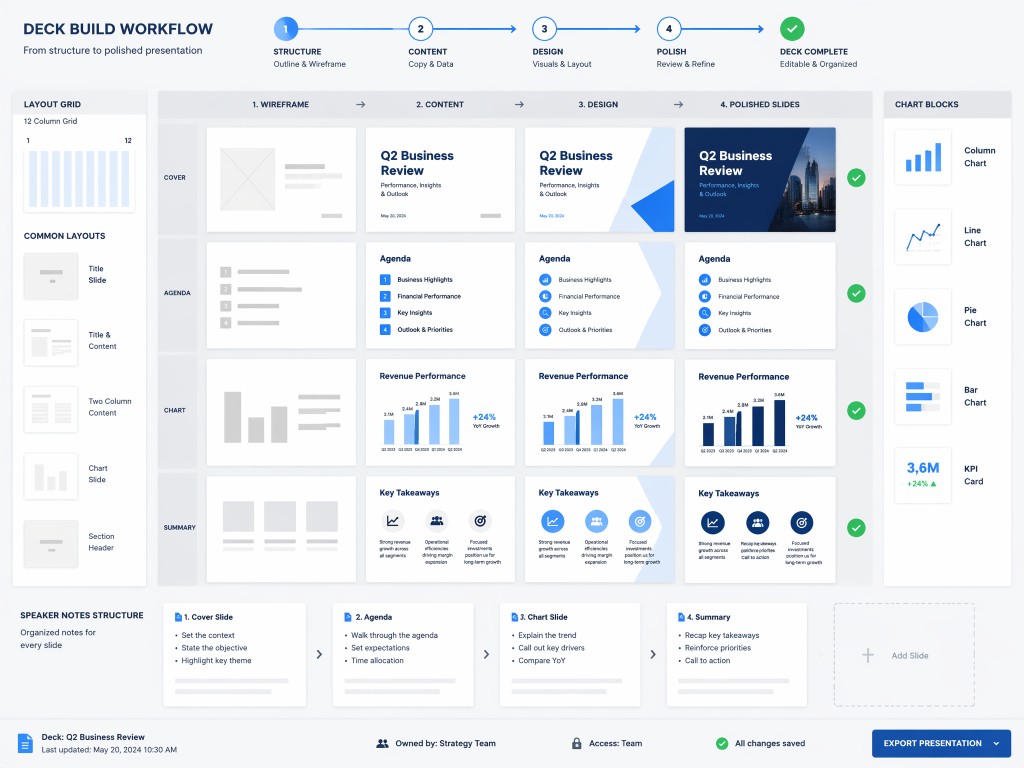
2. Muse creates the deck
Muse structures the story, designs slides, and prepares editable output.

3. Review, refine, and share
Adjust the deck, improve visuals, or export it for your audience.
Try these AI slide prompts
Use Muse for real presentation work — not just generic outlines.
See what Muse can create
Muse can help turn raw context into different presentation formats for work, storytelling, and visual communication.