GPT-6.2 Astra and Sol Are Now in MuseWork: Which Fits Your Work?
OpenAI introduced GPT-6.2 Astra and GPT-6.2 Sol on November 17, 2026: Astra for demanding projects, Sol for everyday work. MuseWork now supports both models, bringing the new generation into the place where you work on documents, presentations, and multi-step tasks.
The useful question is not simply which model has the biggest score. It is which one fits the work in front of you. A presentation built from conflicting project materials needs a different approach from a short update based on decisions you have already made.
Astra vs. Sol: start with the task
OpenAI positions Astra as the stronger choice for complex reasoning. Its official examples include building a deck from a report and slide template, and comparing findings across research sources. Sol is designed for everyday writing, coding, and work with several steps, such as turning meeting notes into a project brief.
| Your task | A sensible starting point | What to inspect |
|---|---|---|
| Combine a brief, customer feedback, and performance data into a launch recommendation | Astra | Whether the recommendation follows from the evidence |
| Build a presentation around a supplied structure or reference deck | Astra | Narrative, numbers, and adherence to your requirements |
| Turn approved decisions into a weekly project update | Sol | Owners, dates, missing actions, and tone |
| Rewrite an existing draft for a different audience | Sol | Meaning, terminology, and unwanted changes |
These are starting points, not a rule that every task must use one model. The harder the job is to resolve—rather than merely to write up—the more reason there is to consider Astra. When the facts and direction are settled, Sol is worth considering for the next draft or revision.
What changed for professional work?
OpenAI’s official guidance emphasizes professional outputs, including a deck built from a report and a supplied slide template. That is a useful distinction. A good presentation does more than summarize a long report; it selects the evidence an audience needs, explains the recommendation, and puts details in the right place.
The official model guidance reflects that emphasis. It recommends supplying Astra with both the report and the slide template, or asking it to compare source findings and identify disagreements. In practice, the quality of the brief still matters: an audience, decision, source material, and output format give the model something concrete to work toward.
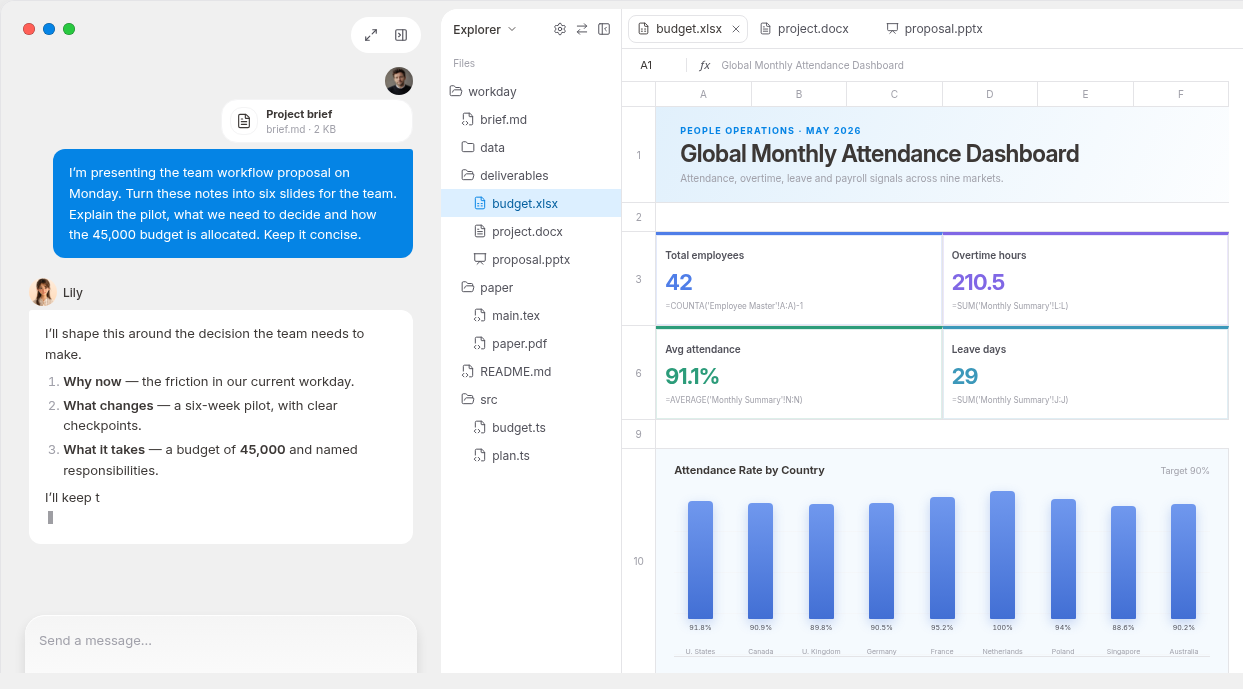
In MuseWork, that makes a real project a better place to begin than an isolated test question. You can provide the relevant materials, define the deliverable, and refine it after reviewing the result.
Try Astra on a launch proposal—not just a summary
Imagine you are preparing a launch review. You have a product brief, customer interview notes, a performance spreadsheet, and an earlier presentation. The team needs to decide what belongs in the first release and what should wait.
Start by asking MuseWork to reconcile the materials before building the presentation. A clear request might be:
Prepare a six-slide launch proposal from these materials. The audience is the team deciding the first-release scope. First identify customer needs, evidence for the proposed scope, and conflicts between the brief and the data. Then create slides covering the problem, audience, proposed scope, supporting evidence, risks, and decisions needed. Use the earlier deck as a visual reference. Keep proposed targets separate from measured results. Include a source table and list anything you could not confirm.
This is the kind of task for which Astra’s focus on reasoning and professional outputs is relevant. The desired result is a presentation draft supported by a source table—not a confident-looking deck with its evidence removed.
Review the proposed scope first. Does a frequently mentioned request actually matter to the intended audience? Does the spreadsheet support the claim on the slide? Are suggested targets labeled as proposals? Then revise the story and design. MuseWork’s AI Slides supports turning source material into an editable deck and refining individual slides or the full presentation.
Use Sol when the decision is already clear
After the review, the work often becomes more straightforward: write the project update, explain what changed, and collect the next actions. Sol’s everyday-work focus fits that stage.
Provide the approved decisions and ask:
Turn these decisions into a concise project update for the delivery team. Include the agreed scope, changes from the previous plan, next actions, owners, and due dates. Put unassigned work in an open-questions section. Do not invent commitments or send the update.
The distinction is between resolving the plan and communicating the plan. Keeping those tasks separate also makes the output easier to review. Each task can have its own clear brief.
Make the completion report part of the task
For a file-based job, make the completion report easy to check: which materials were read, what was produced, and what remained blocked or uncertain.
Check important figures against their sources and open the deliverable before sharing it. A missing spreadsheet should remain visible as a gap, not disappear behind a polished conclusion.
Bring a task worth finishing
Choose a piece of work you already need to complete: a launch proposal with sources, or an update with clear actions. Add the materials and describe what a good result should contain.
Start your next work task in MuseWork. If the source files are on your computer, MuseWork Desktop can work with local files and browser context within the permissions you grant.
References
FAQ
Does MuseWork support both new models?
Yes. MuseWork added support for GPT-6.2 Astra and GPT-6.2 Sol on November 18, 2026.
Should every work task use Astra?
No. Consider Astra for difficult reasoning and demanding deliverables; consider Sol for everyday writing and well-defined follow-up work. Use your actual materials and review criteria to judge the result.
Do OpenAI’s API price changes set MuseWork’s price?
No. OpenAI’s API pricing and MuseWork’s subscription and Credits are separate. Refer to [MuseWork pricing](/en-US/pricing?article_slug=gpt-6-2-astra-sol-musework-work-guide&locale=en-US&cta_position=pricing_faq&cta_copy_id=view_pricing&cta_destination=pricing&task_scene=gpt-6-2-astra-sol-musework-work-guide) for product plans.