

MuseWork Routines Are Here: Put Recurring Work on Autopilot
Published: September 8, 2026
From ready-to-use Routine templates to smoother app integrations, referral rewards, and a back-to-school education offer, this week's update makes recurring work easier and sharing MuseWork more rewarding.
Routines are here: let recurring work start on schedule
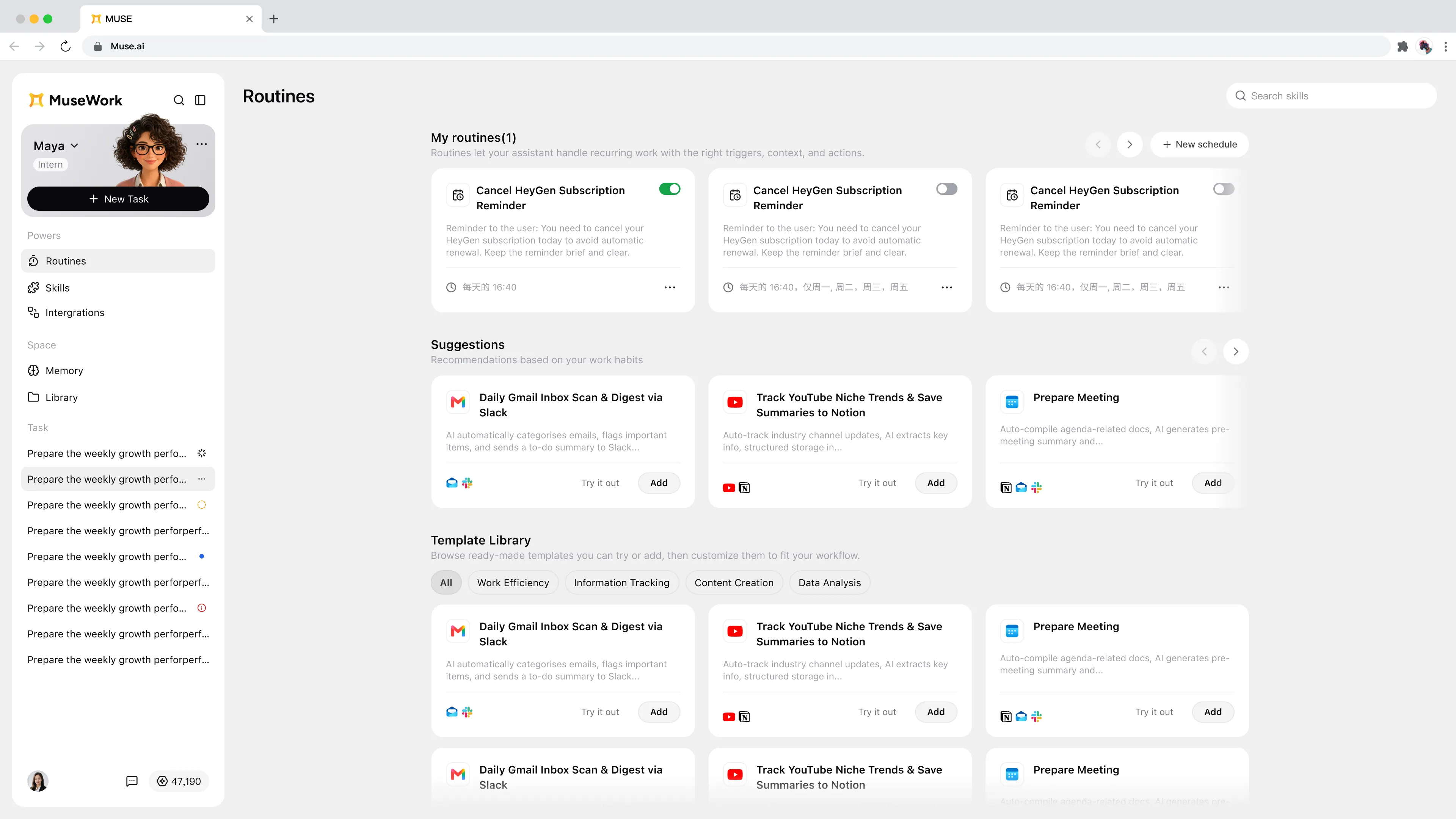
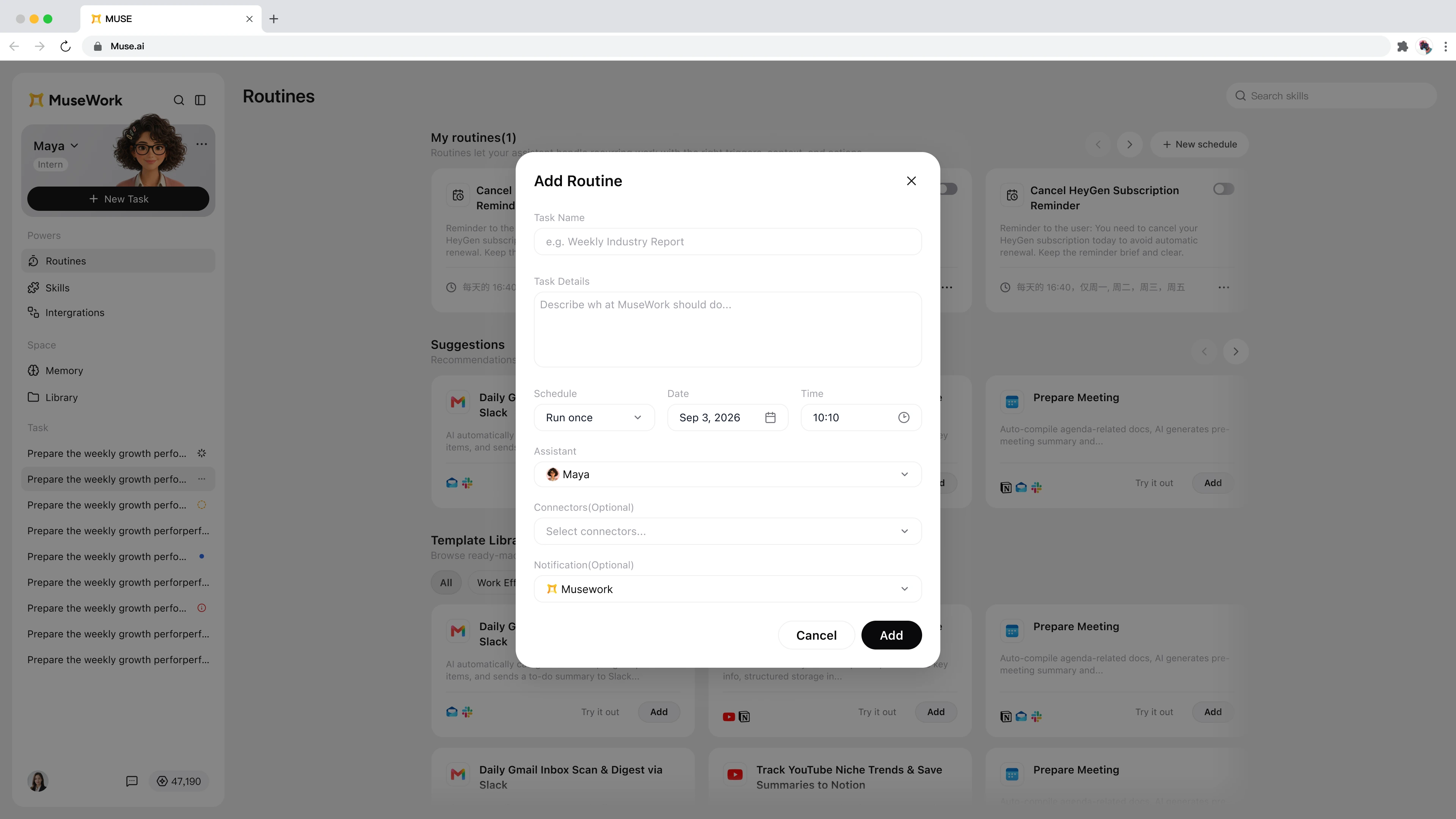
The former Daily Report module is now Routines, a new way to automate recurring tasks. Define what needs to be done, when it should run, which Assistant should handle it, which apps it can use, and how you want to be notified. MuseWork will start the work automatically at the scheduled time.
Whether you are organizing daily email, tracking industry news, or preparing meeting materials in advance, you no longer need to recreate the same task every time.
- Manage existing Routines: Review schedules in one place and enable, pause, or adjust them whenever needed.
- Create a custom Routine: Set a name, detailed instructions, date, and time, then choose an Assistant, Integrations, and notification method.
- Start quickly with a template: Pick a preset from the Routine Template Library, add it, and tailor it to the way you work.
- Discover relevant automations: Use recommendations to find Routines that fit your current workflow.
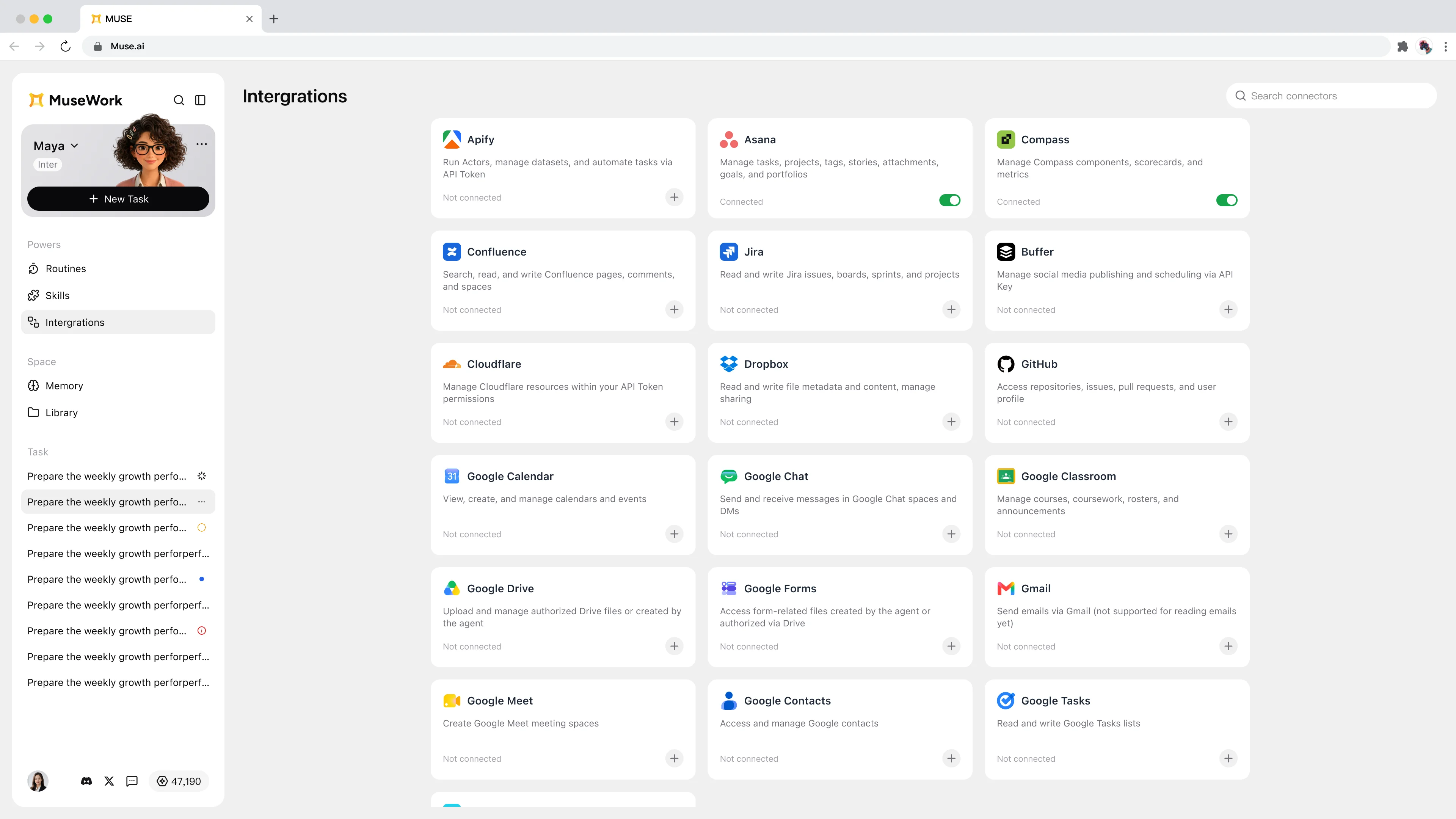
Integrations bring everyday apps into your workflow
The new Integrations area makes it easier to review and manage connections between MuseWork and the apps you use every day. When creating a Routine, you can select the apps it needs so the automated task has the right information and can move forward on schedule.
Invite friends and earn rewards
MuseWork now includes a complete referral experience. Open the invitation page in the product to generate and share your personal referral link. When a friend registers through that link, the referral is recorded. Once the invited friend completes the first task required by the campaign, the inviter receives the corresponding reward.
We also improved cross-device compatibility for shared links. Whether a friend opens the link on desktop or mobile, accessing MuseWork and signing up is now smoother.
Reward details, qualifying actions, and distribution rules are shown on the invitation page.
Back-to-school education support: MuseWork covers 90% of the first month
MuseWork's back-to-school education offer is now live. Eligible users who verify an education email can subscribe to a monthly Pro or Max plan with 90% of the first month's subscription fee covered by MuseWork. Standard pricing resumes in the second month, and the subscription can be canceled at any time.
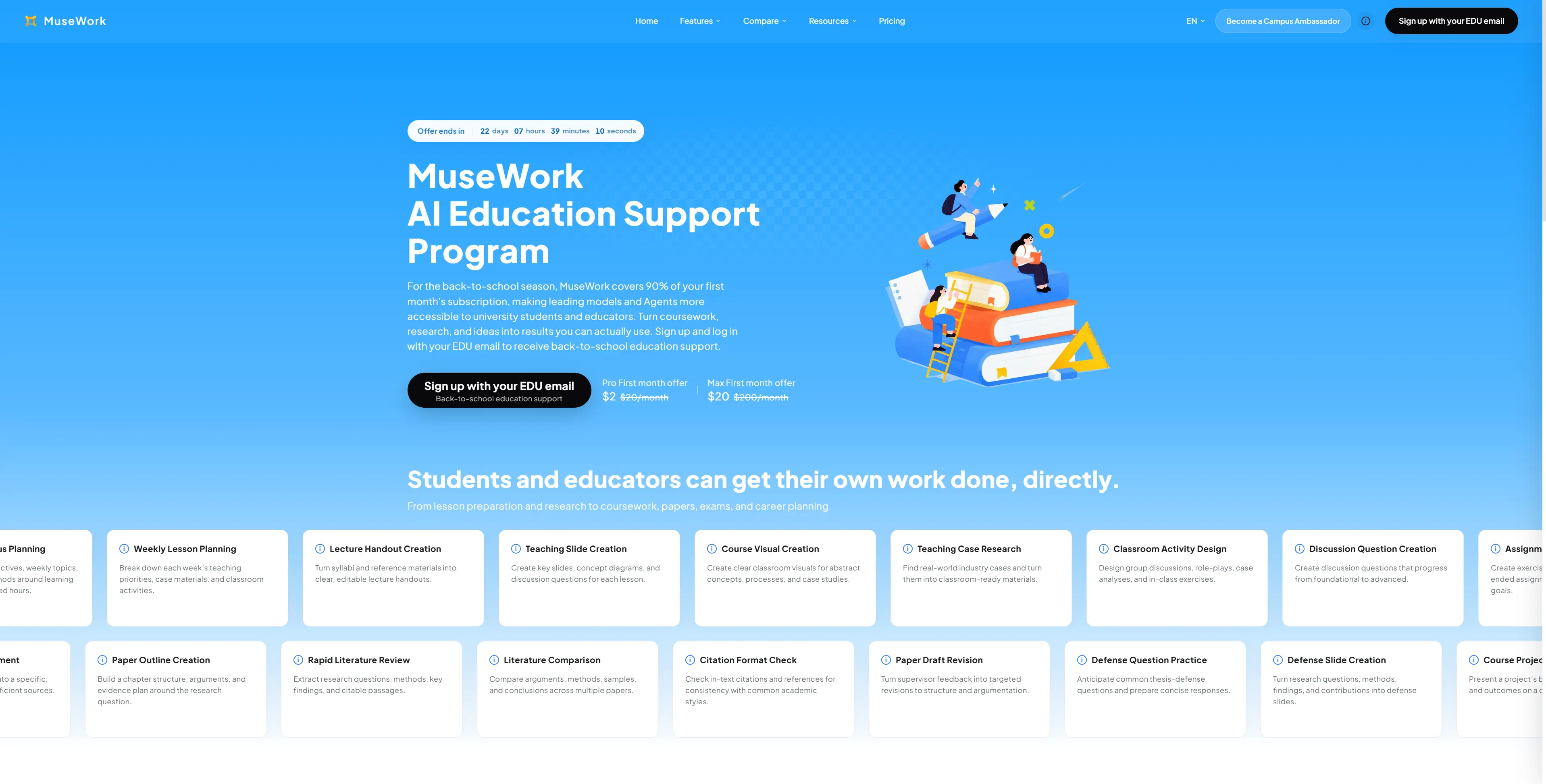
To keep the offer fair, each device supports one eligible EDU account. Qualified users will see the education offer inside the product and can choose the plan that works for them.

Thank you for using MuseWork. We will continue expanding Routine templates and app integrations so more recurring work can start automatically and keep moving according to your schedule.