'/%3e%3cdefs%3e%3clinearGradient%20id='paint0_linear_6609_68599'%20x1='3.18225'%20y1='15.6908'%20x2='32.433'%20y2='20.6207'%20gradientUnits='userSpaceOnUse'%3e%3cstop%20stop-color='%230048ED'/%3e%3cstop%20offset='1'%20stop-color='%230DECD7'/%3e%3c/linearGradient%3e%3c/defs%3e%3c/svg%3e)
'/%3e%3cdefs%3e%3clinearGradient%20id='paint0_linear_6609_68609'%20x1='3.18219'%20y1='15.6908'%20x2='32.4329'%20y2='20.6207'%20gradientUnits='userSpaceOnUse'%3e%3cstop%20stop-color='%236896FF'/%3e%3cstop%20offset='1'%20stop-color='%230DECD7'/%3e%3c/linearGradient%3e%3c/defs%3e%3c/svg%3e)


7 Best Meta Muse Alternatives for Getting Work Done in 2026
Meta Muse is a capable personal AI agent. Meta says it can browse websites, connect to services, create files, track goals, and take actions with permission. But “an alternative to Meta Muse” can mean several different things.
You may need deeper project workflows, stronger local-file handling, a team environment, self-hosting, or broader access outside Meta Muse’s current rollout. The right alternative depends on where the task happens, what result you need, and what should continue afterward—not on which product has the longest feature list.
When another tool may fit better
Meta Muse is built around a personal agent that can work across connected services, files, and everyday goals. That is useful for many tasks, but some jobs begin elsewhere.
A team preparing a weekly business review may need to work from shared project files and preserve the same definitions every week. A designer or analyst may need direct access to local folders. A company already centered on Google Workspace may prefer an agent that works inside Gmail, Drive, Docs, Sheets, and Meet. A technical team may want to host and configure the system itself.
The deliverable matters too. Booking an appointment is different from producing a sourced market report, an auditable spreadsheet, or an editable presentation. The alternatives below are grouped around those practical differences: where the work starts, what must be delivered, how actions are approved, and whether the project continues after the first result.
1. MuseWork — for professional work that continues
Best for: professionals whose work spans research, files, analysis, deliverables, review, and follow-up.
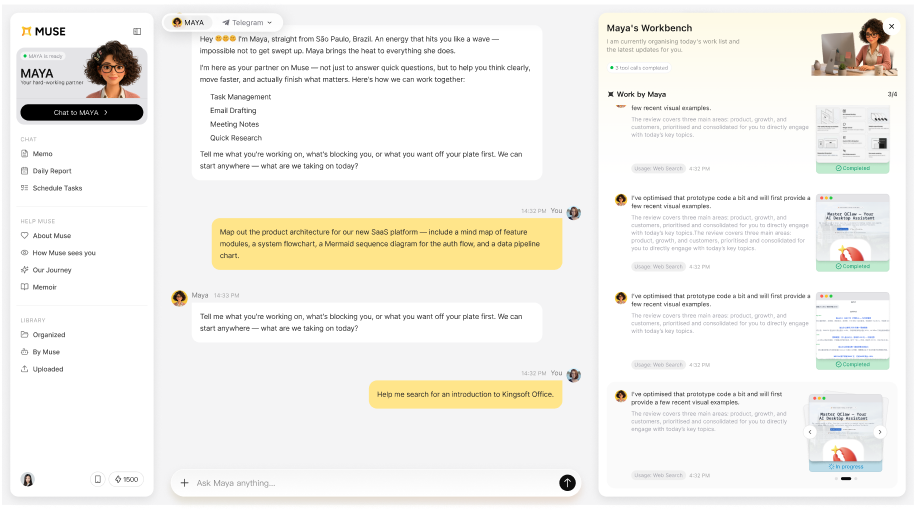
MuseWork is positioned as an AI work partner. You provide a goal, relevant material, and boundaries. It is designed to handle the execution between those inputs and a result you can inspect, revise, and use.
Presentations, documents, spreadsheets, pages, and visuals are only parts of the job. MuseWork connects them through the same context, decisions, standards, and follow-up, so the next step does not begin from zero.
Choose MuseWork when:
- your task crosses several files, tools, or stages;
- the output must be ready for a manager, client, team, or personal decision;
- research needs to become a report, presentation, plan, or follow-up;
- you want the same partner to retain relevant context as the work continues.
2. ChatGPT Work — for a broad AI work environment
Best for: individuals and teams already using ChatGPT Projects, connected apps, and a broad set of work capabilities.
OpenAI describes ChatGPT Work as an agent for longer, multi-step work. It can gather context from supported tools, files, and desktop apps, then create finished documents, spreadsheets, presentations, reports, and Sites. Existing project context can be used when Work starts inside a ChatGPT Project.
Choose ChatGPT Work when: you want one general environment for research, analysis, creation, connected apps, and team context.
Check first: availability depends on plan, platform, workspace settings, and administrator controls.
3. Claude Cowork — for hands-on desktop and file work
Best for: knowledge workers whose task lives in selected local folders, desktop tools, and browser workflows.
Anthropic says Cowork lets users give Claude a goal, authorize folders and tools, and receive completed work for review. Official desktop guidance highlights research synthesis, file organization, document generation, spreadsheets, and presentations. File access is limited to folders the user connects.
Choose Claude Cowork when: local files and transparent desktop steps are central to the task.
Check first: Cowork uses more capacity than ordinary chat, and availability varies by plan and organization settings.
Meta Muse — the baseline for personal delegation
The original product may still be the most direct fit for some tasks. Meta Muse remains the clearest fit when the job is a personal goal spread across daily services: scheduling, shopping, travel, reminders, monitoring, email, or forms.
Meta also documents artifact creation, connected services, background work, and approval controls. If those match your job and Muse is available to you, replacing it may add complexity without adding value.
4. Manus — for broad one-off execution
Best for: users who want to hand an agent a defined objective and receive a completed result across research, browser work, analysis, or content production.
Manus is an execution-focused cloud agent for substantial, defined assignments. Its official toolkit highlights research, browser work, data analysis, content production, websites, slides, images, and other multi-step outputs.
Choose Manus when: you want to hand off a broad objective and receive a finished result from a cloud workspace.
Check first: credit use, current plan access, export needs, and whether the task should become a reusable ongoing workflow rather than a one-time run.
5. Gemini for Workspace — for work centered on Google
Best for: organizations whose email, documents, spreadsheets, meetings, and files already live primarily in Google Workspace.
Gemini for Workspace works close to Gmail, Drive, Docs, Sheets, Slides, and Meet. That can reduce the time spent moving source material into a separate tool when the organization already keeps most work in Google.
Choose Gemini for Workspace when: the team’s documents, spreadsheets, meetings, and access policies are already centered on Google Workspace.
Check first: which features are enabled for your Workspace edition, how administrator controls affect access, and whether the job must cross tools outside Google’s ecosystem.
6. Genspark — for an all-in-one AI workspace
Best for: users who want research, content creation, data analysis, files, and repeatable agent workflows in one cloud workspace.
Genspark describes Super Agent as a system that can run multi-step tasks from a single prompt, use live browsing and code, work with larger files, and save workflows as reusable skills. Its broader workspace also brings together slides, documents, spreadsheets, meetings, and team collaboration.
Choose Genspark when: you want a broad, cloud-based workspace with several creation and execution surfaces.
Check first: the breadth can be more than you need for a focused workflow, and credit use varies with task complexity.
7. OpenClaw — for technical users who want control
Best for: developers and technical operators who prefer to configure, run, and maintain an agent themselves.
OpenClaw is an open-source, self-hosted agent framework for users who want to choose infrastructure, models, channels, tools, and deployment details. It is structurally different from signing up for a managed consumer or work agent.
Choose OpenClaw when: control over hosting, configuration, integrations, and the operating environment is a core requirement.
Check first: who will own installation, updates, secrets, monitoring, backups, incident response, and the reliability of every connected tool. The software may be free, but operating it is still work.
Comparison table: what changes in practice?
| Product | Natural starting point | Typical result | Continuity and control to check |
|---|---|---|---|
| MuseWork | A goal plus files, notes, data, or authorized work context | Reports, spreadsheet analysis, editable presentations, visuals, plans, and follow-up | Whether the same project context and standards should carry into the next task |
| ChatGPT Work | A task in ChatGPT, often inside a Project or connected-app context | Documents, spreadsheets, presentations, reports, Sites, and supported actions | Project sources, reusable templates, scheduled tasks, plan and admin availability |
| Claude Cowork | A goal plus selected folders, desktop tools, browser, or connectors | Completed file and knowledge work for review | Folder modes, visible steps, schedules, plan and organization settings |
| Meta Muse | A personal goal, uploaded artifact, connected service, or web task | Actions, reminders, research, artifacts, and ongoing goals | Connector scope, approval defaults, Activity log, region and platform access |
| Manus | A defined objective in a cloud execution workspace | Broad one-time research, analysis, creative, or technical output | Credits, exports, source handling, and whether continuity is required |
| Gemini for Workspace | Work already living in Google’s productivity environment | Email, document, spreadsheet, meeting, and presentation assistance | Workspace edition, administrator settings, and cross-ecosystem needs |
| Genspark | A request in an all-in-one cloud workspace | Research, files, slides, sheets, media, and reusable workflows | Credit use, workspace breadth, and fit for the specific task |
| OpenClaw | A self-managed agent environment | Highly configurable tasks through chosen models and tools | Setup, security, maintenance, monitoring, and operational ownership |
Which Meta Muse alternative fits your job?
The strongest fit usually looks like this:
- “Handle this personal task across connected everyday services.” Meta Muse is built around this pattern; MuseWork may also help, so compare the services, permissions, and result you need.
- “Use these work files and get this deliverable ready for review.” Consider MuseWork or Claude Cowork.
- “Bring together my team’s broader ChatGPT context and tools.” Consider ChatGPT Work.
- “Execute this substantial one-off objective.” Consider Manus.
- “Keep the work inside our Google environment.” Consider Gemini for Workspace.
- “I want to operate and customize the agent stack myself.” Consider OpenClaw.
Differences become clearer when the same real assignment, source material, constraints, and definition of done are used across the strongest candidates.
A useful comparison task
“Use these customer interviews, campaign results, and meeting notes to produce a decision-ready growth brief. Show the evidence behind each conclusion, flag uncertainty, and prepare the next-step plan for review.”
Run this workflow in MuseWork
Can one task move from research to a finished presentation?
Instead of testing isolated prompts, try one connected assignment: use MuseWork Deep Research to build an evidence-backed report, organize the supporting figures in a spreadsheet, turn the conclusions into an editable MuseWork presentation tools, and create the supporting MuseWork visual tools. This reveals whether the product can preserve the same audience, evidence, assumptions, and feedback across the whole job.
Why continuity matters after the first deliverable
Work rarely ends when a file is generated. A report leads to a presentation. The presentation leads to a decision. The decision creates owners, follow-up, and another round of evidence.
MuseWork organizes that continuation around three practical needs:
- completion: move from a request to work you can inspect and use;
- context: work with the relevant files and tools instead of making you repeatedly copy information;
- continuity: carry the project, feedback, and working standards into what happens next.
MuseWork becomes especially relevant when a request grows into a longer chain of research, files, decisions, deliverables, review, and follow-up.
Start with one real job
A first trial can stay small: one reversible task, a clear result, and only the context required to complete it. The evidence and output will show whether broader access is worthwhile.
Which alternative is best for research and presentations?
Compare the full workflow. MuseWork can turn scoped research and supplied files into a structured report, spreadsheet analysis, an editable presentation, and supporting visuals. ChatGPT Work and Claude Cowork also document research and presentation workflows. The best fit depends on source access, editing requirements, review controls, and whether the project must continue.
Which alternative is best for recurring work?
Look for reusable project context, templates, scheduled tasks, connected sources, and a clear review process. Do not assume that “background work” automatically means the product will retain every instruction or project decision.
Which option gives more control over local files?
Claude Cowork documents selected-folder access and multiple mount modes. OpenClaw offers infrastructure-level control for users willing to operate it. MuseWork Desktop can work with authorized local context. Compare the exact operating system support and permission model before connecting sensitive folders.
Do I need to replace Meta Muse completely?
Not necessarily. Different agents can serve different tasks. The more important question is whether adding another product reduces work or creates another place where context, permissions, and files must be maintained.
Related reading
- What Is Meta Muse?
- Meta Muse for Work
- Meta Muse vs ChatGPT Work vs Claude Cowork
- MuseWork vs Meta Muse
Sources
-
Meta, Muse and Introducing Muse.
-
OpenAI, ChatGPT Work and ChatGPT Work and Codex.
-
Anthropic, Claude Cowork and Claude for work.
-
Genspark, Super Agent.
-
Manus, AI Agent Toolkit.
-
Google, AI Tools for Business.
-
OpenClaw, official repository.
FAQ
What is the best Meta Muse alternative for work?
It depends on the work. MuseWork fits professional workflows that should move from context to a reviewable result and continue. ChatGPT Work fits a broad project and team environment. Claude Cowork fits hands-on work with selected desktop files and tools.
Is there a free Meta Muse alternative?
Free access and usage limits change frequently. Check each official product’s current plan page rather than choosing based on a static roundup.
Which option is best for local files?
MuseWork Desktop and Claude Cowork both describe workflows involving authorized local folders or files. Compare the exact platform support, permissions, output requirements, and continuation you need.